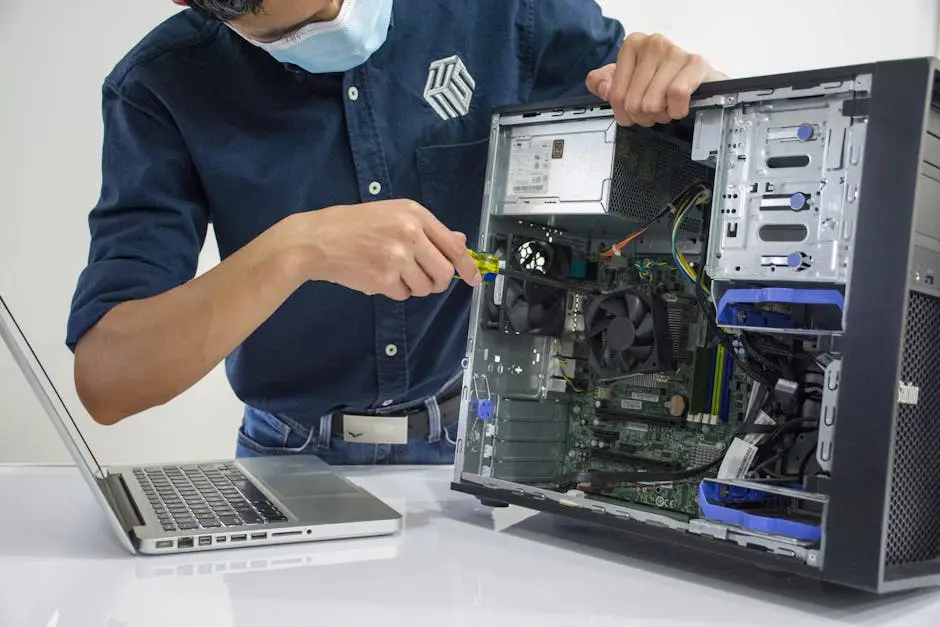
Selecting the right computer repair service can feel overwhelming, especially with so many options available. To help you make the best decision, we’ve compiled a list of essential questions you should ask before entrusting your device to a repair technician. These inquiries will not only clarify the services offered but also ensure that you’re dealing with a reputable provider. Let’s dive in!
1. What Certifications Do You Have?
Understanding the qualifications of a technician can give you confidence in their skills and expertise. Certifications from reputable organizations indicate that the technician has undergone the necessary training and has met industry standards. Whether it’s CompTIA A+, Microsoft Certified Professional, or similar accreditations, these certifications show their commitment to maintaining high standards in computer repair.
Furthermore, there’s a world of difference between a technician who’s merely skilled versus one who’s certified. The latter reflects a technician’s dedication to ongoing education and adherence to best practices. When you’re handing over your device, you want someone who knows the details, from the hardware to the latest software updates.
2. How Long Have You Been in Business?
Experience often translates to expertise, so it’s important to know how long the service provider has been operating. A well-established business usually has honed its skills over time, learning from its past experiences and mistakes. This longevity often correlates with a reputation built on trust and reliability.
However, don’t discount newer businesses. They might bring fresh perspectives and learnings from their latest training. But if you choose a relatively young service, ensure you balance that with thorough research into their practices and early customer reviews. After all, it’s essential to select a repair service that meets your comfort level with experience.
3. Do You Provide Warranty for Your Services?
A warranty can offer peace of mind, ensuring that you receive quality workmanship and support if issues arise post-repair. When a repair service stands behind its work, it shows confidence in their ability to get the job done right the first time. Ask about the length and coverage of the warranty, as well as what specific issues are covered.
It’s crucial to know if the warranty covers labor, parts, or both. Warranties that include both elements are the most reassuring, as they take on potential costs associated with future issues. Make sure to read the fine print to understand the terms fully. A good warranty is a reflection of a service provider who values its customers and stands by its work.
4. What Are Your Rates and Fees?
Transparency about costs upfront can help you avoid surprise charges and ensure the service fits your budget. Before agreeing to any services, ask for a detailed breakdown of their rates. Inquire whether they charge a flat fee or bill hourly, and what happens if the repair takes longer than initially anticipated.
Additionally, don’t shy away from asking if there are any hidden fees, such as diagnostic fees or costs for parts. Understanding the full landscape of the price structure will arm you with the right information to make the best choice without breaking the bank. At the end of the day, it’s not just about finding the lowest price; look for fair rates that match their services.
5. Can You Provide References or Reviews?
Hearing from past customers can offer valuable insights into the level of service you can expect. A reputable repair service should be willing to provide references or direct you to customer reviews. Look for consistent positive feedback regarding efficiency, communication, and overall satisfaction.
Don’t just settle for their website testimonials, either; check reputable review sites like Yelp or Google Reviews. Negative reviews can reveal red flags that might be worth considering, while positive ones can highlight strengths. Doing this homework will give you a clearer picture of what to expect from your potential computer repair service.
6. What Services Do You Specialize In?
Different businesses may focus on different areas of repair; knowing what services they excel in can help with your specific needs. Some might specialize in hardware repairs, while others excel in software troubleshooting. Asking this question will help you identify if their specialties align with your particular problem.
Moreover, it’s worth inquiring if they handle both desktop and laptop repairs, or whether they focus on certain brands or models. This kind of targeted knowledge ensures they can efficiently tackle your issue and may even save you time. After all, refined expertise often translates to quicker and more accurate fixes.
7. Do You Offer On-Site Repairs or Only Walk-In Services?
Understanding the logistics can save you time and ensure convenience depending on your situation. If you’re busy or unable to transport your device, on-site repairs can be a game changer. Ask whether technicians will come directly to your home or office, how they handle scheduling, and any associated fees.
If walk-in services are offered instead, inquire about their wait times and how they prioritize repairs. It’s a good idea to check if they allow appointments or if they operate strictly on a first-come-first-serve basis. Knowing the available options helps you manage your time better while ensuring your computer gets the care it needs.
8. What Is Your Typical Turnaround Time for Repairs?
Knowing how long you might be without your device helps you manage your expectations and plan accordingly. Different repairs take varying amounts of time; from simple software installations to more intricate hardware replacements.
Ask for average turnaround times based on your specific issue. This kind of information not only helps you prepare for the downtime but also reflects how efficient the service is. A reliable computer repair service should be able to give an honest estimate without overpromising or overlooking potential complications that could arise.
9. How Do You Handle Data Security?
Inquiring about their data protection policies is crucial to keep your personal information safe during repairs. Make sure they have protocols to protect sensitive data, especially if you’re handing over a device with confidential files or access to personal accounts.
Ask how they ensure data security during repairs and whether they follow any industry standards. It’s also worthwhile to know if they have measures in place in case of accidental data loss. Understanding these practices will provide a sense of security as you entrust your device to their care.
10. Will You Provide a Detailed Estimate Before Beginning Work?
A clear estimate helps you understand costs and services involved, avoiding misunderstandings later. Before any work begins, ensure that you receive a written estimate outlining the services to be performed and the associated costs.
Ask how they determine the estimate, and whether it’s subject to change once they delve deeper into the repairs. Transparency in this step builds trust, allowing you to feel confident in the provider’s honesty and fairness, and it gives you a solid understanding of what you can expect.
11. What Brands and Models Do You Support?
It’s important to know if they have experience with your computer’s brand and model for effective repairs. Some services may specialize in certain brands such as Apple, Dell, or Lenovo, which can impact the level of expertise they have.
This knowledge is crucial, as not all models are the same. Asking upfront can prevent issues down the line, ensuring a smoother repair experience tailored to your device’s specifications and requirements.
12. Do You Use Quality Parts for Repairs?
Asking about the quality of the parts they use can help ensure your repair is durable and reliable. Not all replacement parts are created equal; some may be generic or inferior quality, leading to further problems down the line.
Inquire whether they use original manufacturer parts or high-quality alternatives that meet or exceed OEM specifications. Trusting a repair service that prioritizes the quality of their components speaks volumes about their commitment to providing lasting solutions.
13. What Is Your Policy on Follow-Up Support?
Understanding how they support customers post-repair is fundamental in case something goes wrong. A solid follow-up policy indicates a dedication to customer care.
Ask what kind of support they provide if related issues arise after the repair. Knowing you have someone to turn to adds reassurance, making the decision process easier. It’s about finding a service that values not just the repair itself, but the entire relationship with you as a customer.
14. Can You Explain the Repair Process?
A reputable repair service should be able to clearly outline how they will fix your device, making you feel assured in their methods. They should be willing to explain the steps involved, what tools they use, and how long each part of the process might take.
This transparency allows you to feel more involved and enhances trust. If they can break down the repair process into understandable terms, it’s a good indication of their commitment to ensuring you’re informed and comfortable throughout the entire experience.
15. What Happens if You Cannot Fix My Device?
Knowing their policy for devices that cannot be repaired can help set expectations before you commit. This question can reveal important details about how they handle cases when they encounter unexpected complications.
Some services may provide options for replacing your device, while others may offer a refund or store credit. It’s essential to understand these contingencies upfront to avoid any disappointment later on. Being prepared for any scenario helps you feel confident in your choice of repair service.
16. Do You Have a Physical Location or Is This a Mobile Service?
Understanding their operating model helps in planning how you’ll access their services. If they have a physical location, it’s worth considering the convenience of distance. Alternatively, if they provide mobile services, ensure you know how their process works and if they cover your area.
This distinction plays a vital role in how accessible the service will be for you, particularly if your device needs significant repair. Knowing the options available allows you to choose a technician that suits your preferences.
17. How Do You Keep Up with the Latest Technology Trends?
It’s important for repair services to be knowledgeable about the latest technology to provide effective solutions. The tech world is constantly evolving, and staying updated with the latest hardware and software trends is crucial for effective repairs.
Inquire whether they engage in regular training, attend workshops, or follow industry news. A technician who actively seeks knowledge in new advancements reveals a commitment to providing you with updated service based on the current standards.
18. Are There Any Additional Fees I Should Be Aware Of?
Inquiring about hidden fees upfront ensures there are no unpleasant surprises when it comes to billing. It’s always wise to ask if there are any additional costs related to diagnostics, parts, or even labor that aren’t immediately factored into the initial estimate.
Understanding the comprehensive cost structure will equip you with the knowledge necessary to make an informed decision. A transparent repair service should be able to clearly explain all fees and charges, fostering trust from the beginning.
19. How Will You Communicate Repairs and Progress?
Understanding how they keep you informed throughout the repair process can enhance your overall experience. Ask if they provide updates via phone calls, texts, or emails. This line of communication is critical to ease any anxieties about your device being out of commission.
A reliable repair service values clear communication and should be committed to keeping you in the loop. This level of transparency reassures clients and fosters a good working relationship, which is invaluable in a service-based industry.
20. What Financing Options Do You Offer?
If the repair costs are significant, knowing about payment plans can make the process more manageable. Some shops offer flexible financing solutions that might make larger repairs less of a burden on your budget.
Make sure to ask if they provide payment plans, credit options, or even discounts for upfront payments. Understanding how to handle costs effectively can greatly relieve stress and make your overall experience smoother.